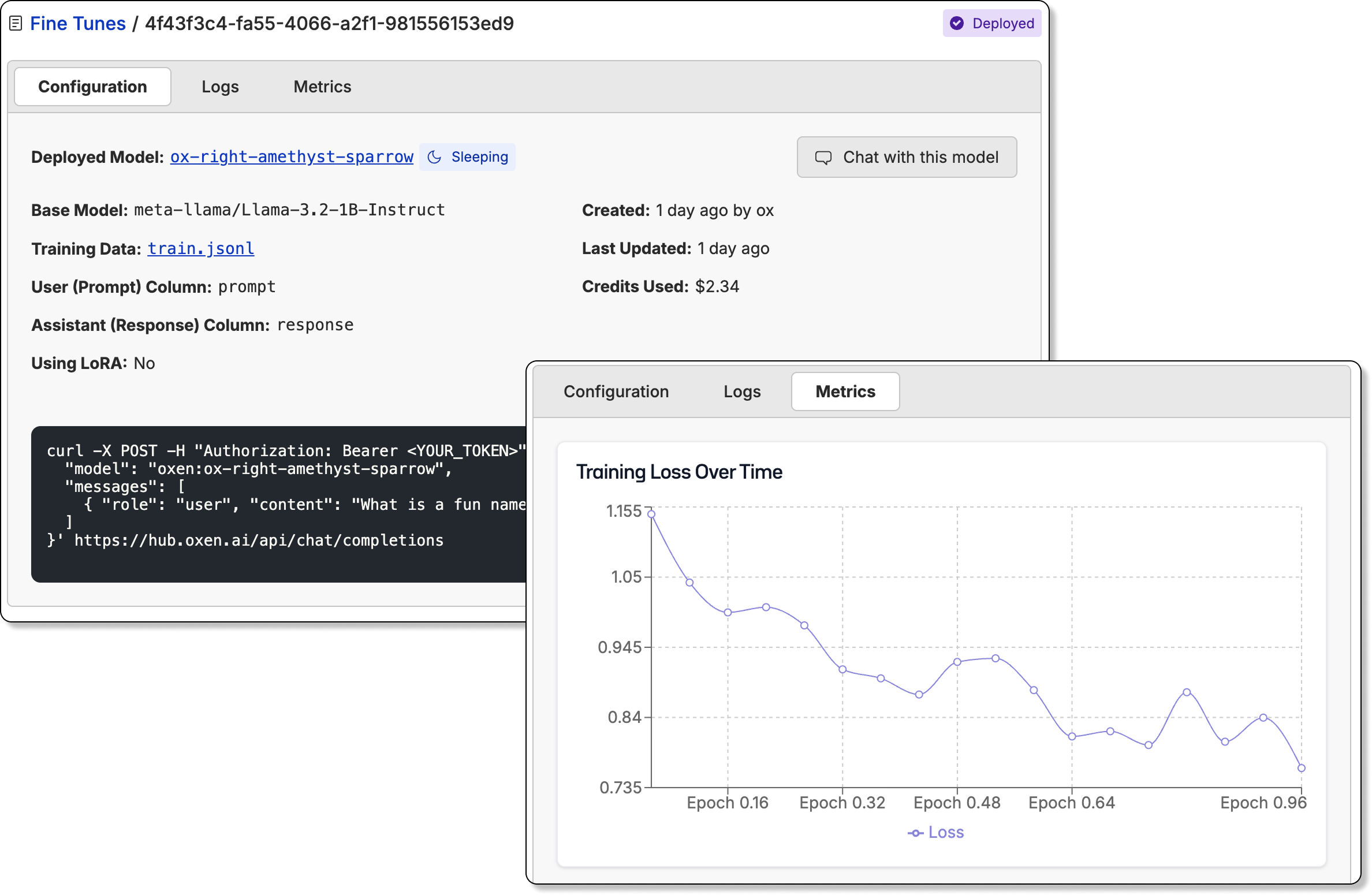
What are VLMs?

Vision language models extend the ability of language models to understand image and video data. As input they can accept images and videos as well as a text prompt, and as output they can generate text. For example, instead of training a classifier from scratch, you can pass in your list of categories and a description what to look for in the prompt, and let the VLM take care of the rest. Here is the list of supported models.

Image Understanding

The /chat/completions endpoint supports vision language models for image understanding. If you want to send an image to a model that supports vision such as Qwen3-VL or gpt-4o, you can add a message with the image_url type.

Using Image URLs

curl -X POST https://hub.oxen.ai/api/chat/completions \
-H "Authorization: Bearer $OXEN_API_KEY" \
-H "Content-Type: application/json" \
-d '{
  "model": "gpt-4o",
  "messages": [
    {
      "role": "user",
      "content": [
        {
          "type": "text",
          "text": "What is in this image?"
        },
        {
          "type": "image_url",
          "image_url": {
            "url": "https://oxen.ai/assets/images/homepage/hero-ox.png"
          }
        }
      ]
    }
  ]
}'

Using Base64 Encoded Images

You can also directly pass in the base64 encoded image.
curl -X POST https://hub.oxen.ai/api/chat/completions \
-H "Authorization: Bearer $OXEN_API_KEY" \
-H "Content-Type: application/json" \
-d '{
  "model": "claude-3-7-sonnet",
  "messages": [
    {
      "role": "user",
      "content": [
        {
          "type": "text",
          "text": "What is in this image?"
        },
        {
          "type": "image_url",
          "image_url": {
            "url": "data:image/jpeg;base64,YOUR_BASE64_ENCODED_IMAGE_HERE"
          }
        }
      ]
    }
  ]
}'

Python Example

From python this would look like:
import openai
import os
import base64

# Read and encode the image to base64
def encode_image(image_path):
    with open(image_path, "rb") as image_file:
        return base64.b64encode(image_file.read()).decode('utf-8')

# Initialize the client
client = openai.OpenAI(
    api_key=os.getenv("OXEN_API_KEY"),
    base_url="https://hub.oxen.ai/api"
)

# Encode your image
base64_image = encode_image("path/to/your/image.jpg")

# Send the request with base64 encoded image
response = client.chat.completions.create(
    model="claude-3-7-sonnet",
    messages=[
        {
            "role": "user",
            "content": [
                {
                    "type": "text",
                    "text": "What is in this image?"
                },
                {
                    "type": "image_url",
                    "image_url": {
                        "url": f"data:image/jpeg;base64,{base64_image}"
                    }
                }
            ]
        }
    ]
)

print(response.choices[0].message.content)

Video Understanding

The /chat/completions endpoint also supports video understanding through vision language models. To send a video to a model that supports video understanding, you can add a message with the video_url type.

Using Video URLs

curl -X POST https://hub.oxen.ai/api/chat/completions \
-H "Authorization: Bearer $OXEN_API_KEY" \
-H "Content-Type: application/json" \
-d '{
  "model": "gemini-3-flash-preview",
  "messages": [
    {
      "role": "user",
      "content": [
        {
          "type": "text",
          "text": "What is happening in this video?"
        },
        {
          "type": "video_url",
          "video_url": {
            "url": "https://example.com/path/to/video.mp4"
          }
        }
      ]
    }
  ]
}'

Using Base64 Encoded Videos

You can also directly pass in the base64 encoded video.
curl -X POST https://hub.oxen.ai/api/chat/completions \
-H "Authorization: Bearer $OXEN_API_KEY" \
-H "Content-Type: application/json" \
-d '{
  "model": "gemini-3-flash-preview",
  "messages": [
    {
      "role": "user",
      "content": [
        {
          "type": "text",
          "text": "Describe the main events in this video."
        },
        {
          "type": "video_url",
          "video_url": {
            "url": "data:video/mp4;base64,YOUR_BASE64_ENCODED_VIDEO_HERE"
          }
        }
      ]
    }
  ]
}'

Python Example

From python this would look like:
import openai
import os
import base64

# Read and encode the video to base64
def encode_video(video_path):
    with open(video_path, "rb") as video_file:
        return base64.b64encode(video_file.read()).decode('utf-8')

# Initialize the client
client = openai.OpenAI(
    api_key=os.getenv("OXEN_API_KEY"),
    base_url="https://hub.oxen.ai/api"
)

# Encode your video
base64_video = encode_video("path/to/your/video.mp4")

# Send the request with base64 encoded video
response = client.chat.completions.create(
    model="gemini-3-flash-preview",
    messages=[
        {
            "role": "user",
            "content": [
                {
                    "type": "text",
                    "text": "What is happening in this video?"
                },
                {
                    "type": "video_url",
                    "video_url": {
                        "url": f"data:video/mp4;base64,{base64_video}"
                    }
                }
            ]
        }
    ]
)

print(response.choices[0].message.content)

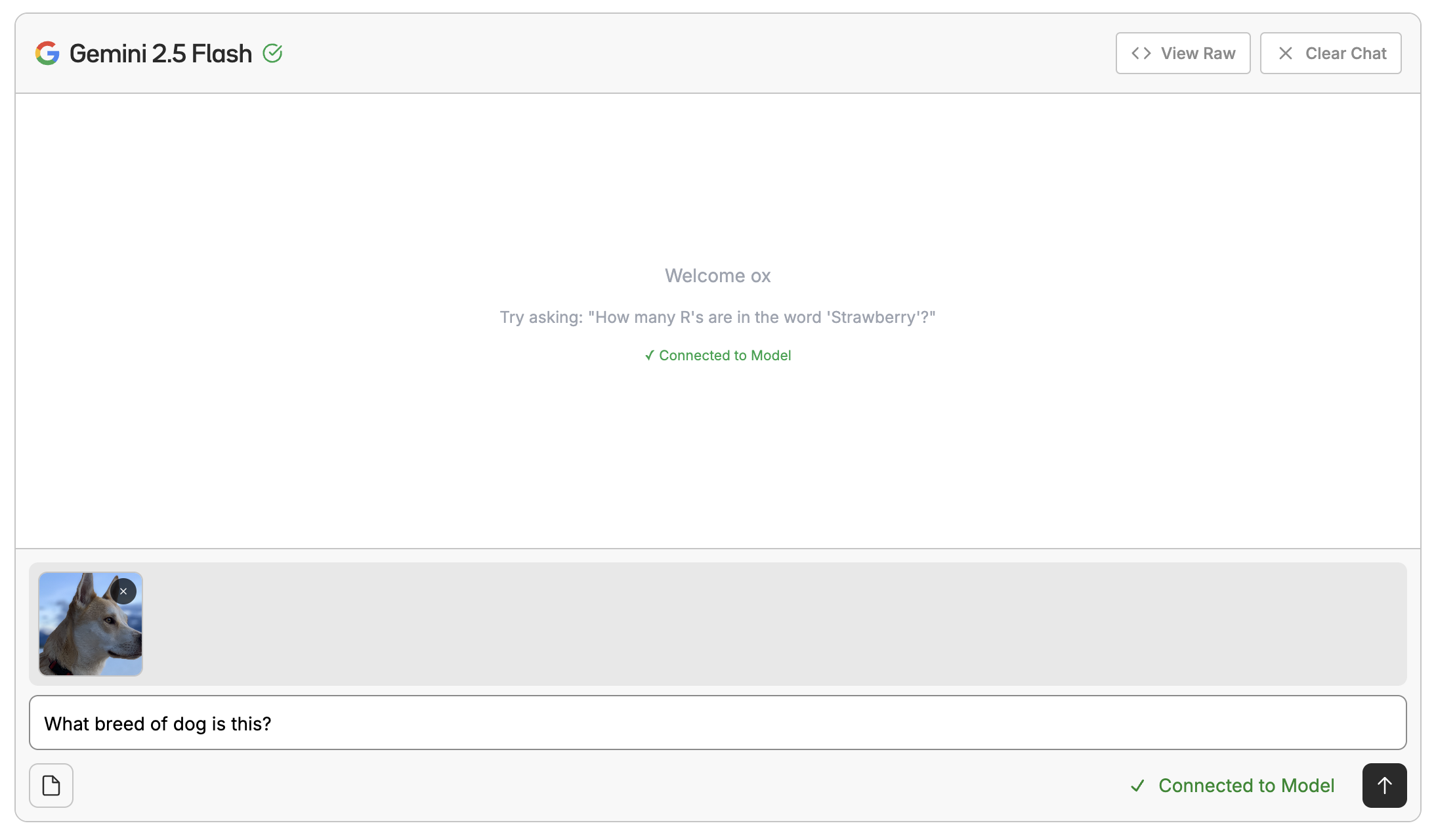
Playground Interface

Want to test out prompts without writing any code? You can use the playground interface to chat with a model. This is a great way to kick the tires of a base model or a model you fine-tuned after deploying it. Chat Interface
Fine-Tuning VLMs

Oxen.ai also allows you to fine-tune vision language models on your own data. This is a great way to get a model that is tailored to your specific use case. Fine-Tuning Once the model has been fine-tuned, you can easily deploy the model behind an inference endpoint and start the evaluation loop over again. Learn more about fine-tuning VLMs.